 Sellka
What your shop makes, and reports
Most shop owners know what they sold. Far fewer know what they kept, because that needs one figure most shops never write down: what each product cost to buy.
How to calculate a shop's profit
- What you sold. Everything you charged in the period, after discounts and returns, whether it was paid in cash or taken on credit.
- What the goods cost you. What you paid your supplier for exactly the goods you sold. Not for everything you bought, only for what went out.
- What you kept. The first minus the second. This is your gross profit, before running costs.
- Your running costs. Rent, transport, airtime, wages, power and the rest, for the same period.
- The result for the period. What you kept, minus your running costs, plus any other money the shop earned. Money you took for yourself and loans are not part of it.

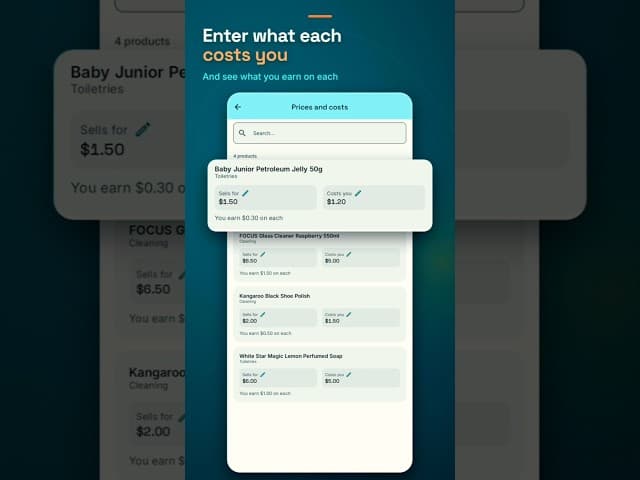
Watch costs entered, and what each product earns shown under it, in 29 seconds
How Sellka works it out
Enter what each product costs you once, and Sellka does the rest from every sale. This week, in the menu under History, shows three figures, and Show details shows how each is worked out:
- You sold: everything you charged, after discounts and returns, cash or credit.
- The goods cost you: what you paid for the goods you sold.
- You kept: the first minus the second, before running costs.
The monthly report goes on to your running costs and other income, and ends on the trading result for the month. It prints what the figures include and what they do not, so a bank reading it knows exactly what it is looking at.
Why costs matter
Sellka shows what you kept only when it knows what the goods cost. If a product you sold is missing its cost, any profit figure would be too high. So Sellka names the products missing a cost and asks for it. On This week, Add costs to those sales fills in what they cost. Products that did not sell never hold anything up.
Changing a cost later
When a cost changes, open Pricing in the menu and update it there. Past sales keep the cost they had. Only new sales use the new cost, so last week's figures do not change. The one exception is a sale recorded while the product's cost was still empty: This week lets you add the cost it had then.
Reports
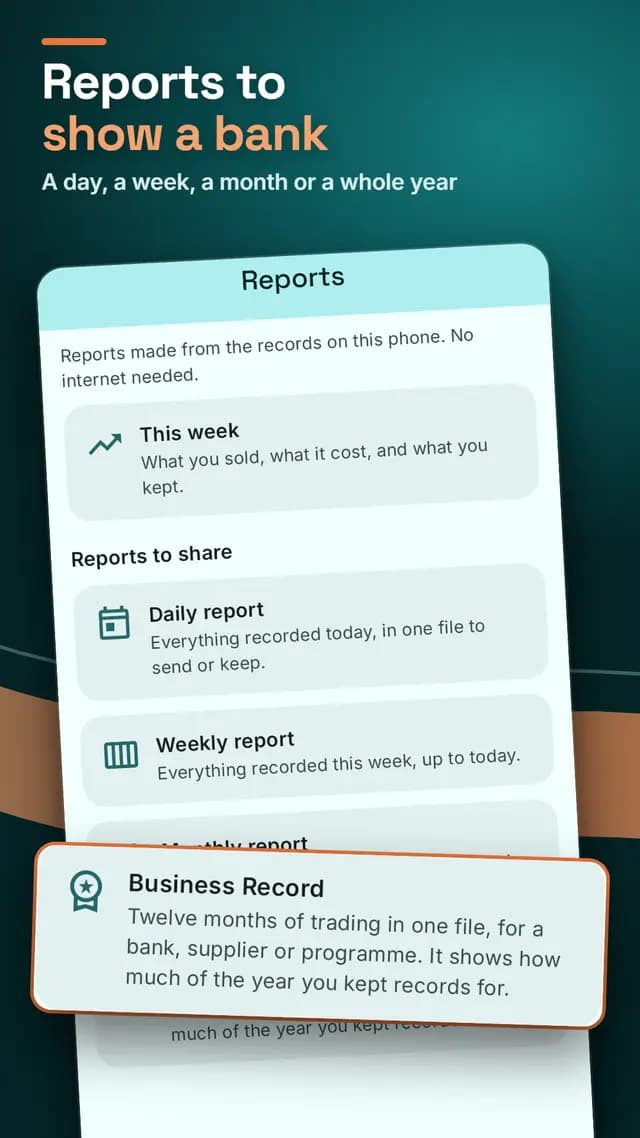
Reports turns your records into a file you can send, print or keep. Daily, weekly and monthly reports cover those periods. The Business Record covers twelve months, for a bank, supplier or programme. Each comes as a PDF to send, an Excel file to work with, or a Word file to edit. Every report says where its figures come from.
The daily report comes with Sellka. The weekly report comes with the Starter plan, and the monthly report and the Business Record with the Monthly plan, the Annual plan or the one-time purchase. More about reports.
Asking about your shop
Ask answers questions from your records, on this phone: what sold most, who owes you, what is running out, and how this period compares with the last. It needs no internet and no setup.
You can also describe a report in your own words. That needs internet, a Google sign-in and a Monthly or Annual plan or the one-time purchase. Your records stay on the phone.
Questions

© 2026 The NextTechTitan Team. Google Play and the Google Play logo are trademarks of Google LLC.